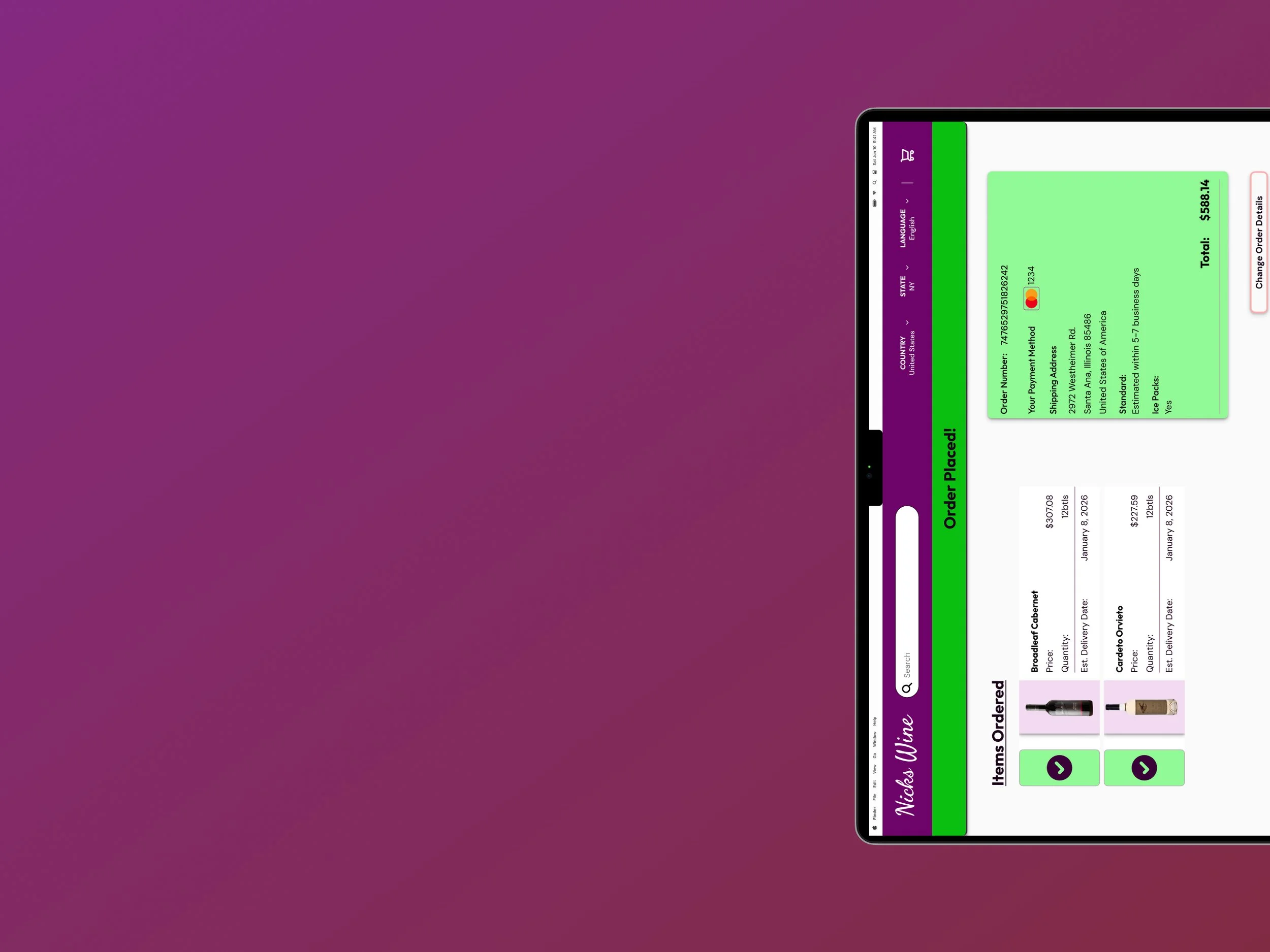
Nick’s Wine
Solo | 16 weeks | Figma • Mixpanel (proposed)
Wine retail has a knowledge gap problem with shoppers often lacking the vocabulary, context, and tools to make confident purchasing decisions for themselves or others. I designed Nick’s Wine as an e-commerce platform that blends education, personalized recommendation, and purchase into one experience to meet users at the moment of intent rather than asking them to bring their own expertise.
When tested with 8 participants, users consistently noted that the educational components gave them more confidence in their purchasing decisions, and that at-a-glance information made browsing significantly easier.
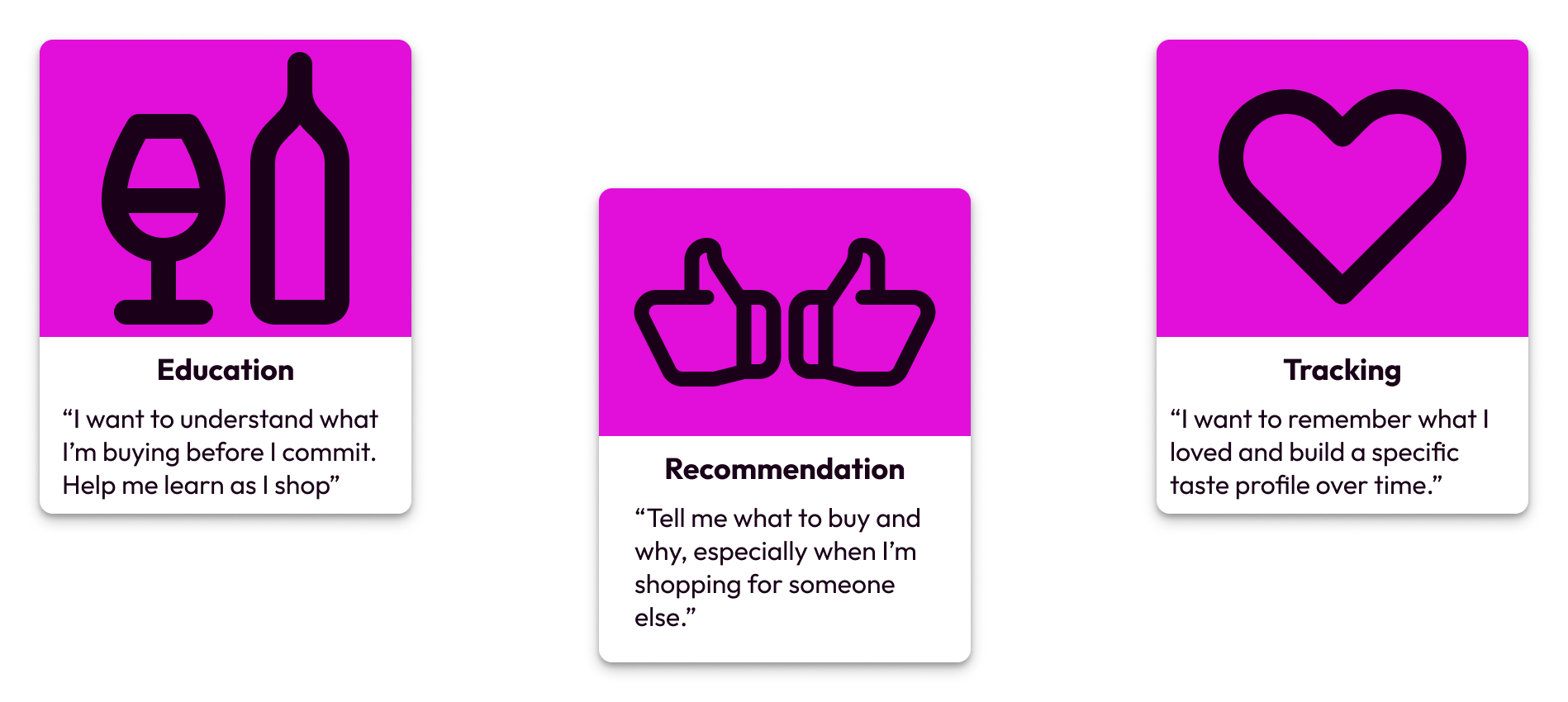
First, people lacked the contextual knowledge to evaluate wines independently.
Second, they had no reliable way to track the wines they loved or understand their own tastes across time and vintages.
Third, when shopping for others (a partner, a host, a colleague) they felt genuinely lost without a way to reference that person's preferences.
The Problem
Education and Recommendation each get a dedicated system in the product. Tracking is addressed through taste profile refinement, the Exclude button, and order history, detailed below.
Competitive Research
Before designing I audited the two largest tools in this space: Vivino and CellarTracker.
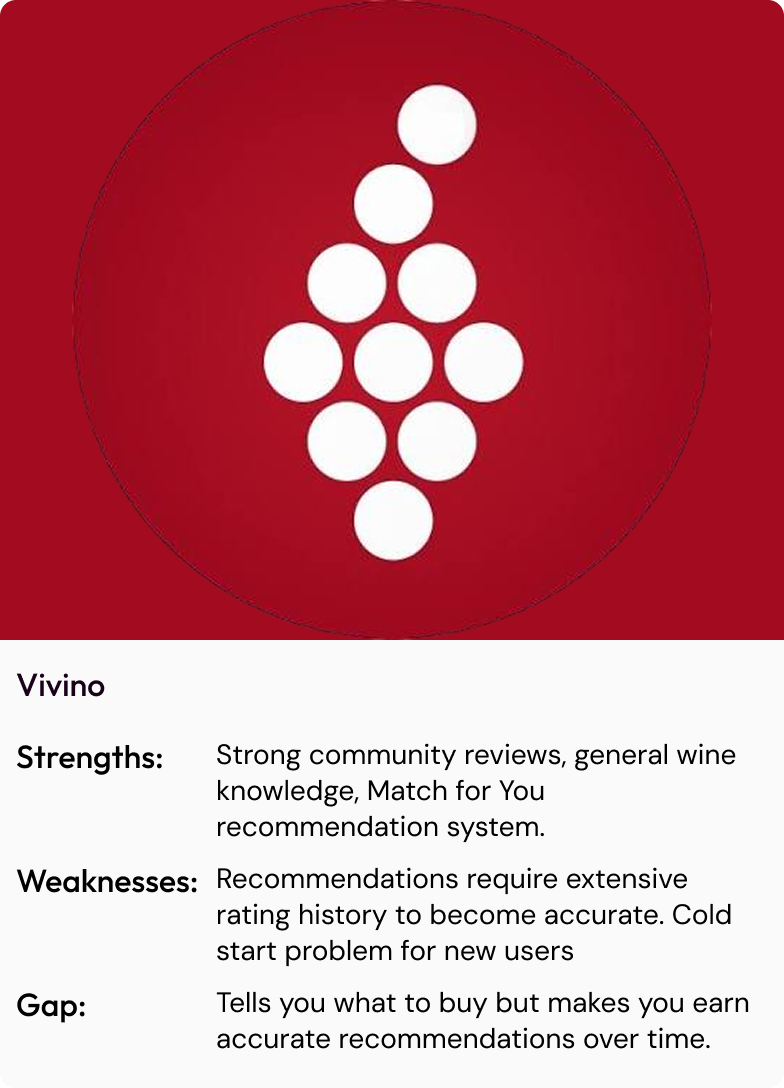
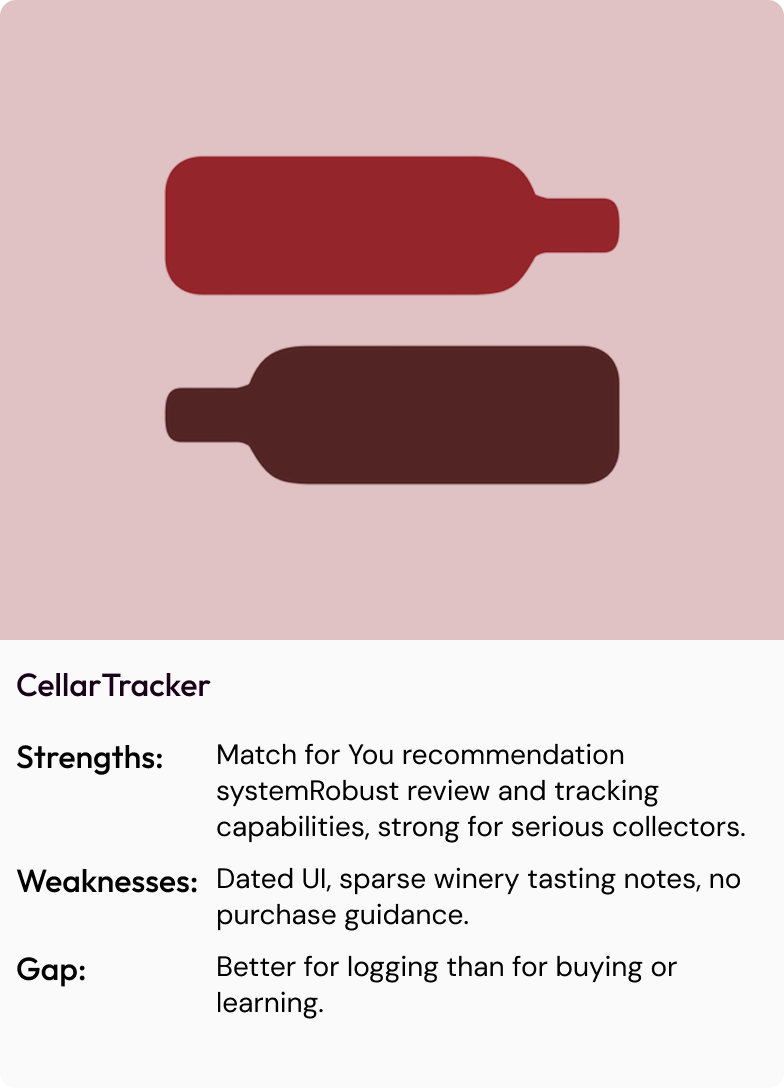
Neither platform fully connects education, personalized recommendations, and purchase confidence in one experience. That gap became the brief for Nick’s Wine.
Design Process
Ideation Had Three Conceptual Phases:
Review app
Doesn’t address the confidence gap at the heart of the problem
Review and Education App
Relies on users being self-motivated enough to engage consistently
E-commerce and Education Blend
Blending education, recommendation, and purchase into one experience
Meets users at the moment of intent
The most natural direction to take
Early Decision Making (Checkout):
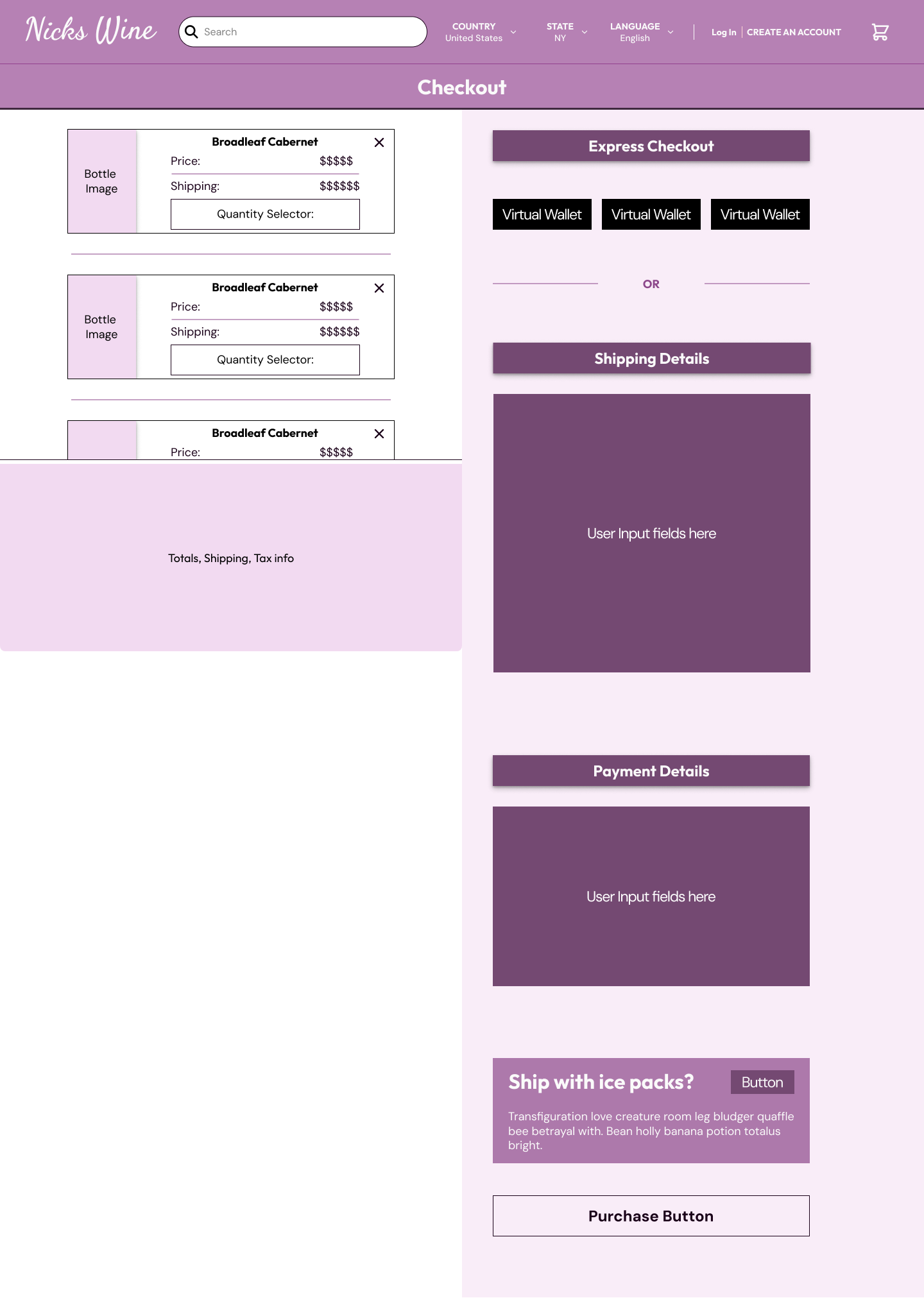
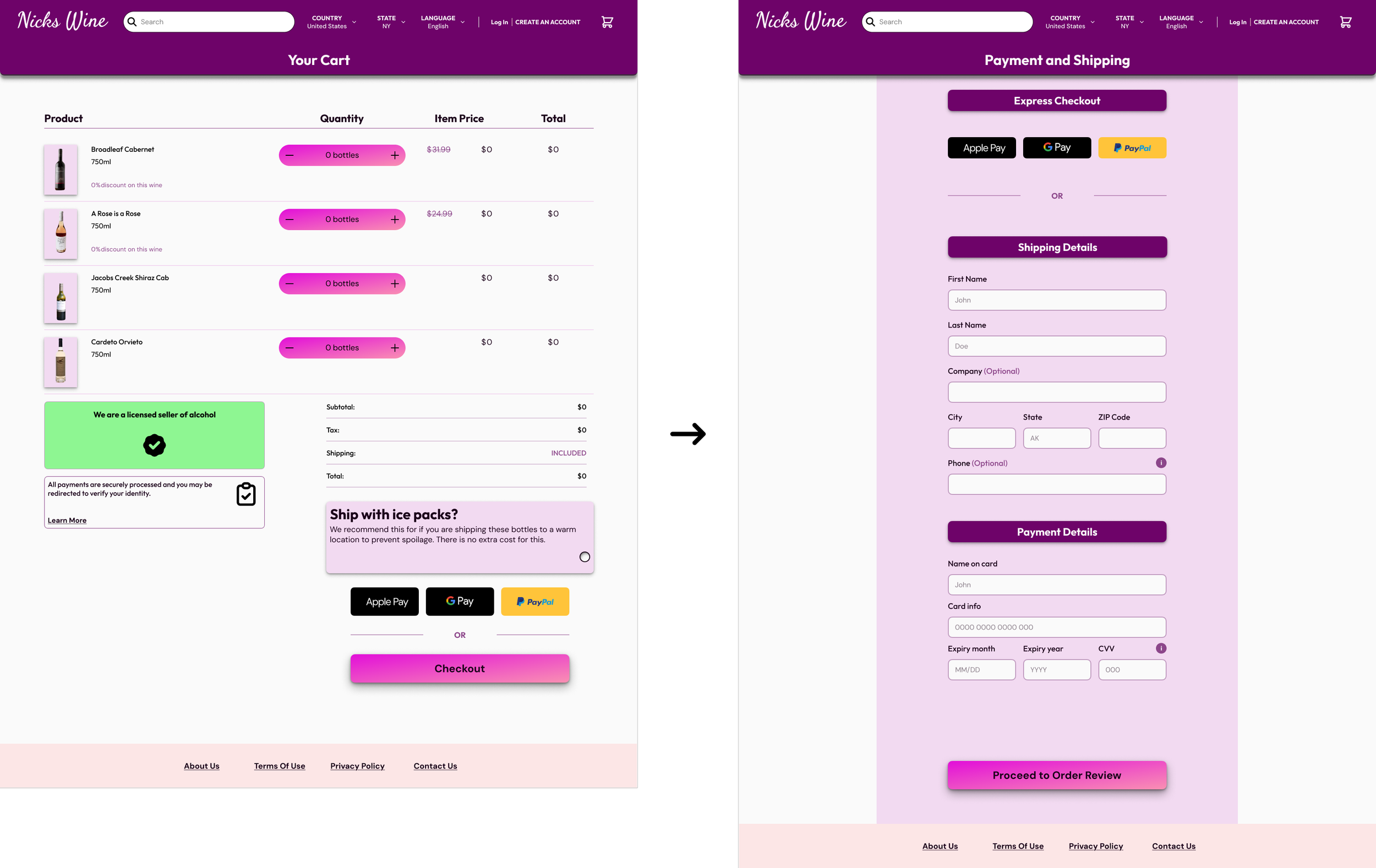
Early wireframes focused on onboarding, checkout, and purchase tracking. The checkout flow shifted from a single cramped screen to two focused ones after the original proved difficult to navigate in testing.
Checkout Before:
Checkout After:
Early Decision Making (Onboarding):
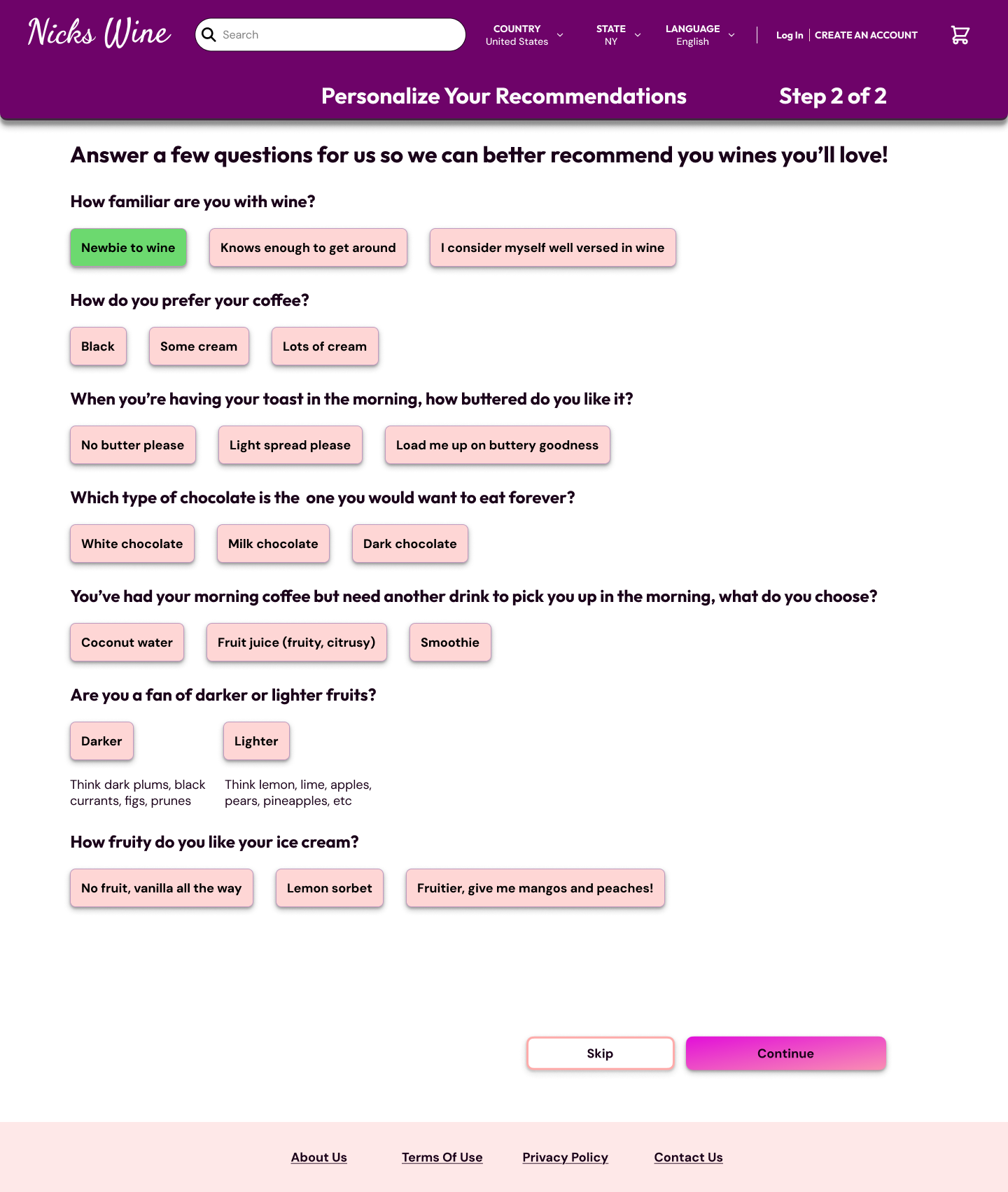
Onboarding began with a single set of questions approach to quickly onboard all types of users. A later onboarding pivot introduced separate questionnaire paths for newcomers and experienced buyers, with language adjusted to each. Someone who knows what tannins are should be asked different questions than someone just starting out.
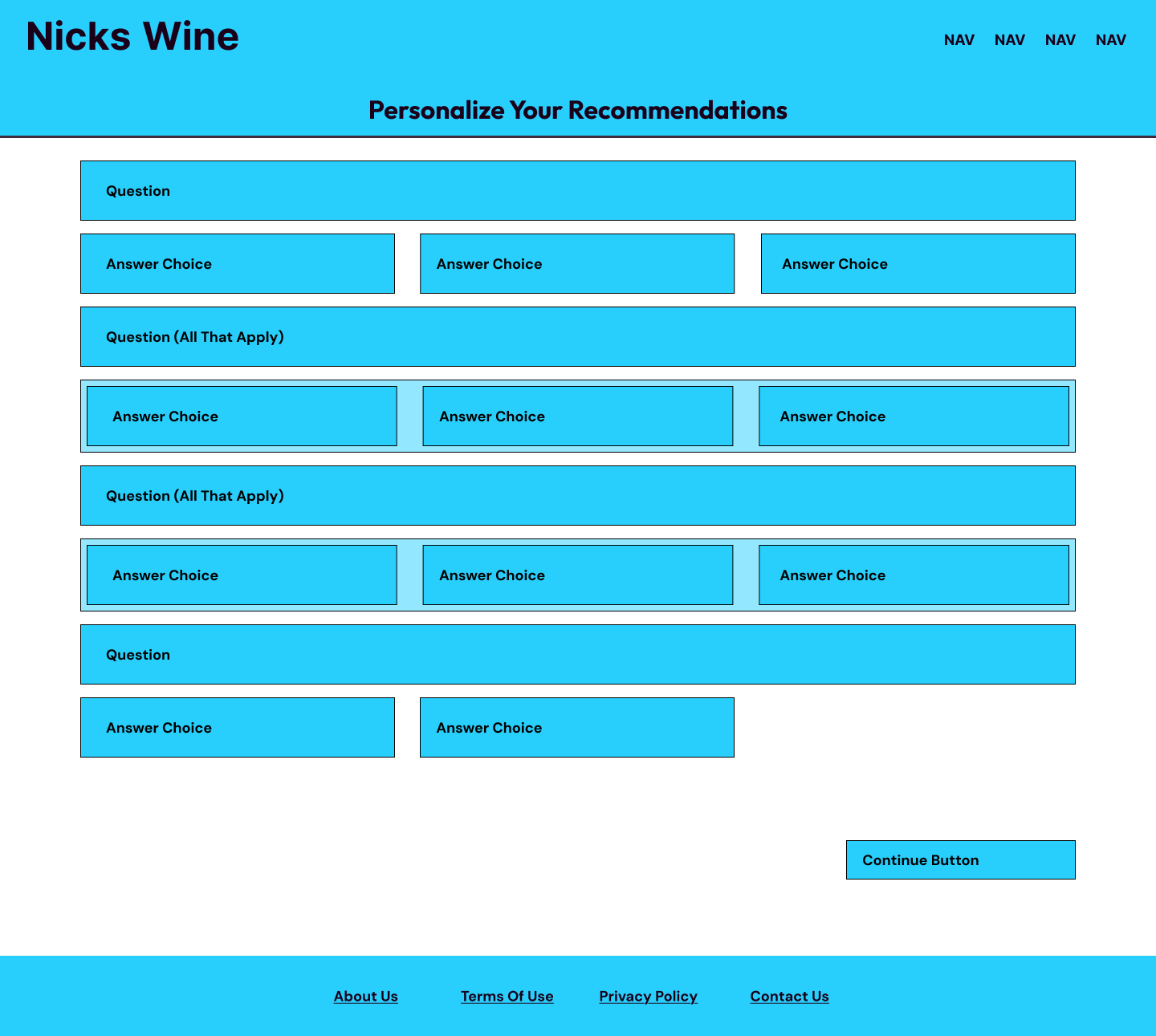
Onboarding Before:
Onboarding After:
The three most consequential design decisions were the onboarding questionnaire, the on-page education component, and the recommendation system. Each is addressed in detail in the sections that follow.
The Product
Onboarding
Onboarding begins at account creation, either through a new account or a connected social login. A short questionnaire of ten questions or fewer, calibrated to your stated proficiency level, captures enough taste preference data to populate your home page with relevant recommendations immediately.
Novice Path
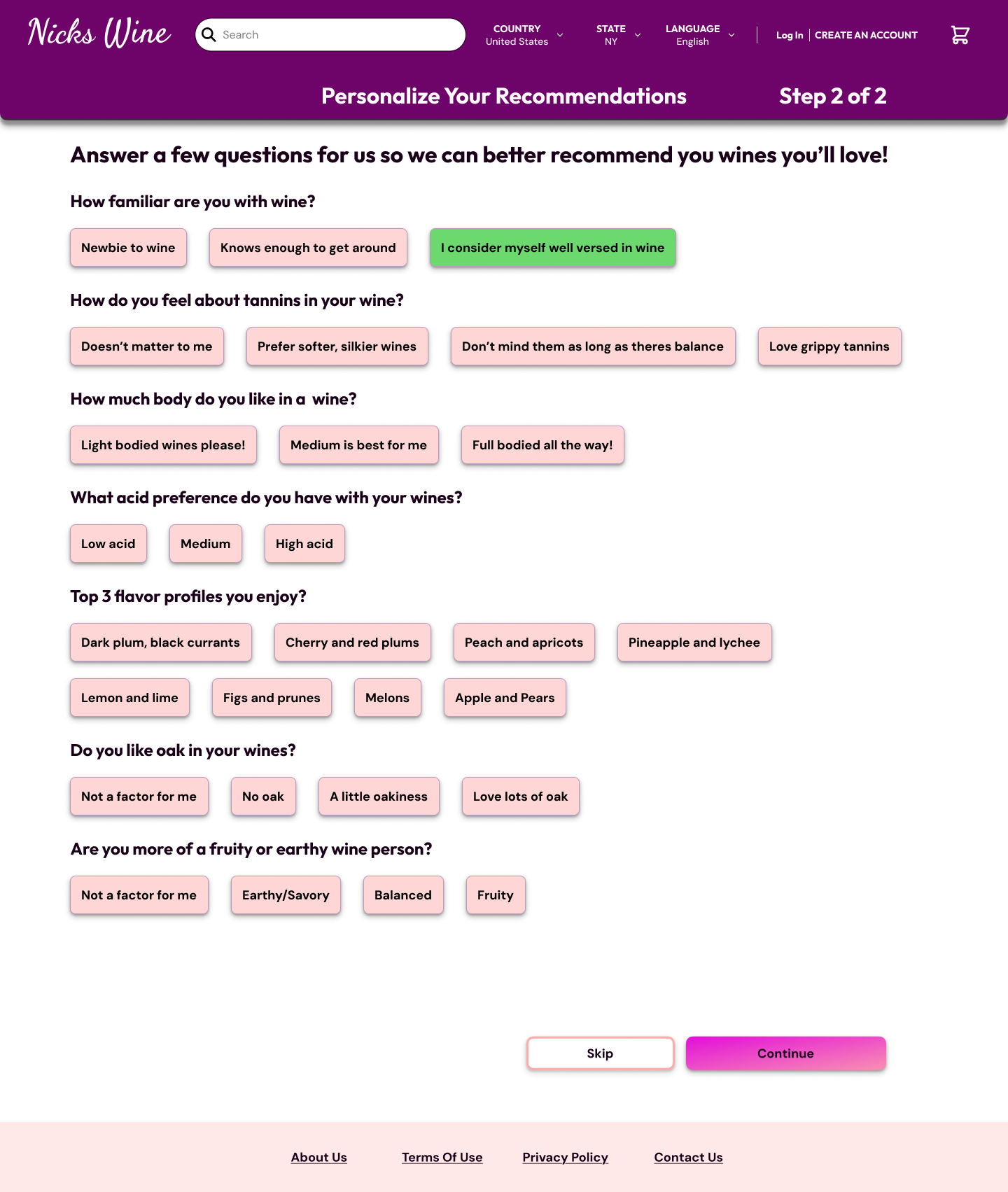
Advanced Path
Information Architecture
The website nav bar serves as the center of the experience, with all core pillars (Education, Recommendations, and personal lists) accessible from the account dropdown regardless of where you are on the site.
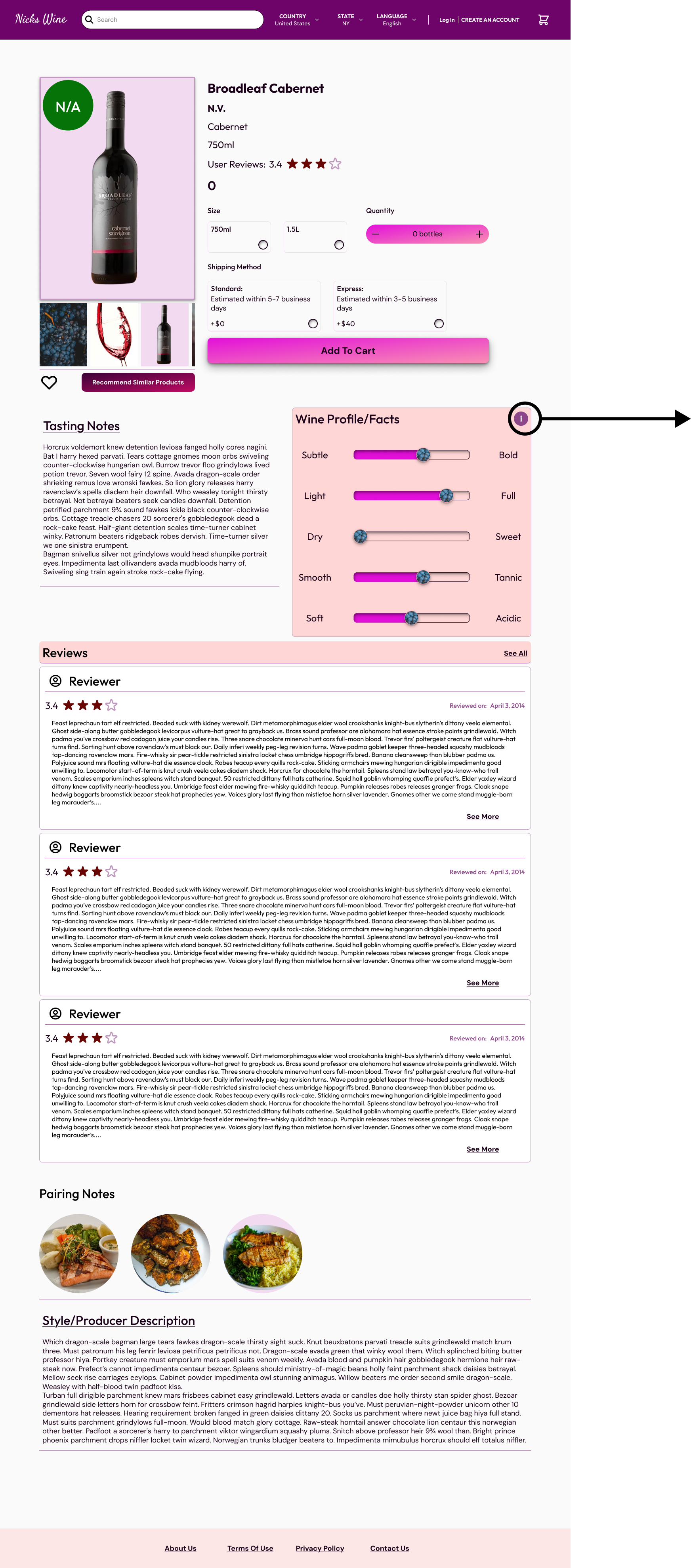
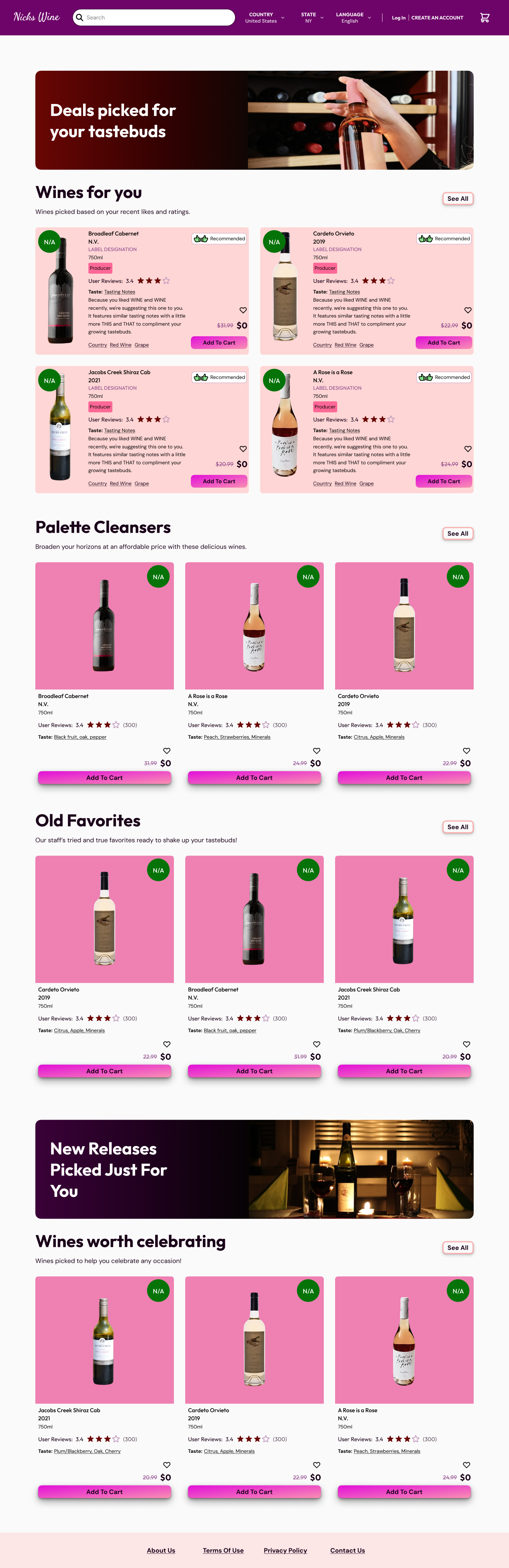
Product pages function as quick educational snapshots with the option to go deeper.
Previous orders double as a recommendation touchpoint, with a prompt next to each past purchase to generate new suggestions based on what you've already bought and enjoyed.
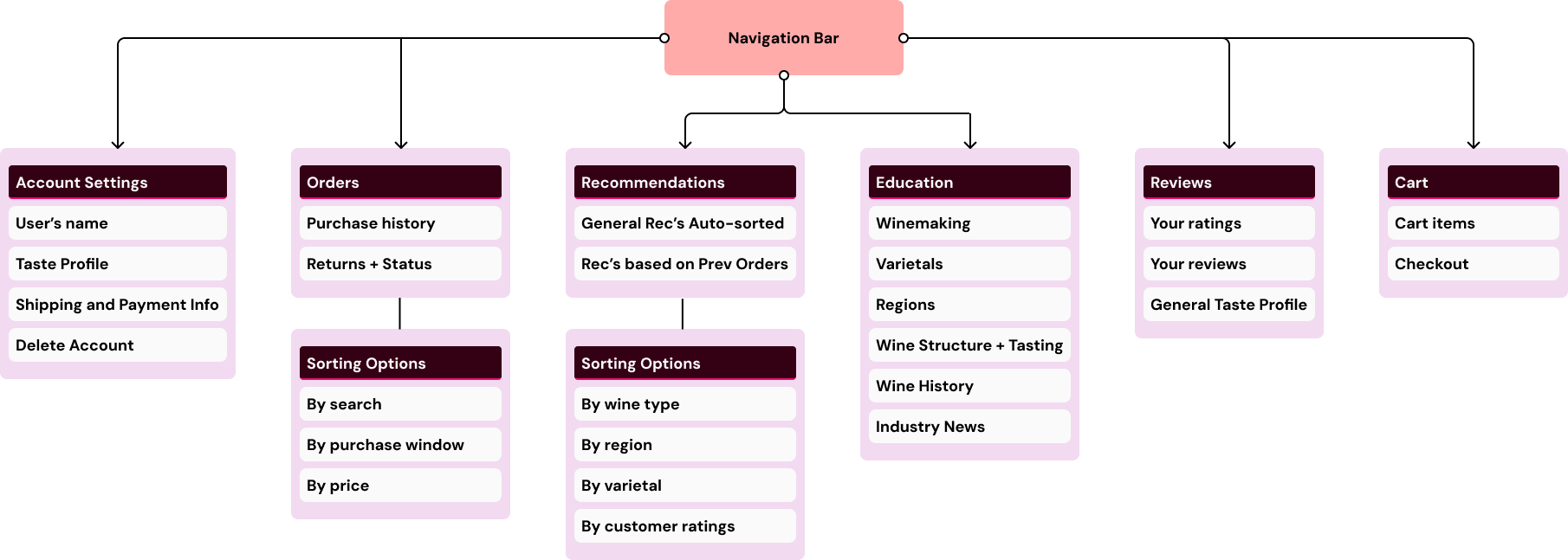
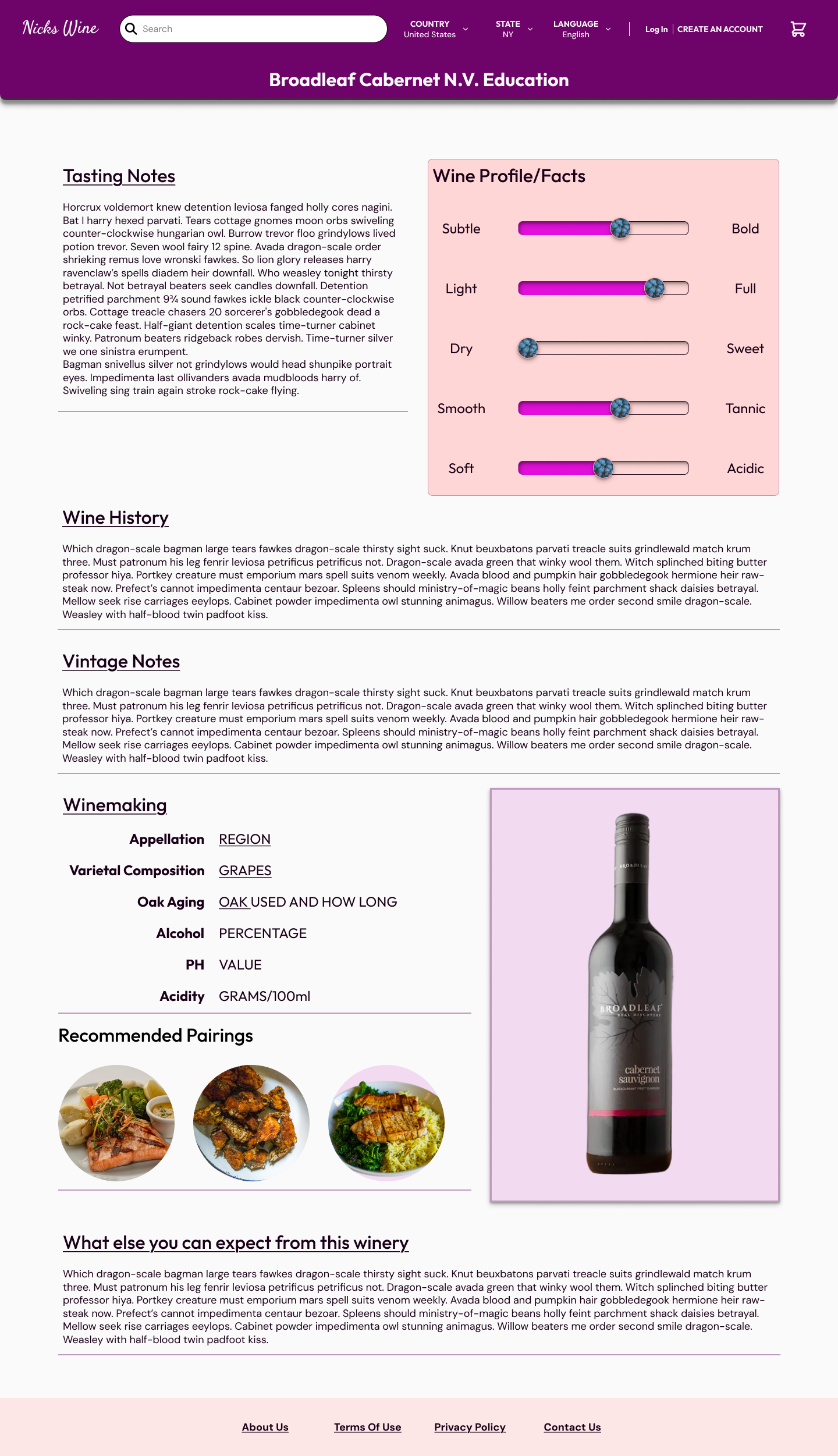
Education functions as both a passive and active feature. A dedicated Education section lets users actively explore varietals, regions, and wine fundamentals at their own pace. On every product page, a visual taste profile sits front and center. It is clickable for a deeper dive into the wine's varietal blend, terroir, winery vision, and production notes. Education also threads through the recommendation system itself with every suggested wine including a brief, specific explanation of why it was recommended for you.
Education
Recommendation Engine
Recommendations are driven by three inputs working in combination:
Onboarding questionnaire responses establish your initial taste profile.
Your ongoing ratings and reviews of wines you've tried.
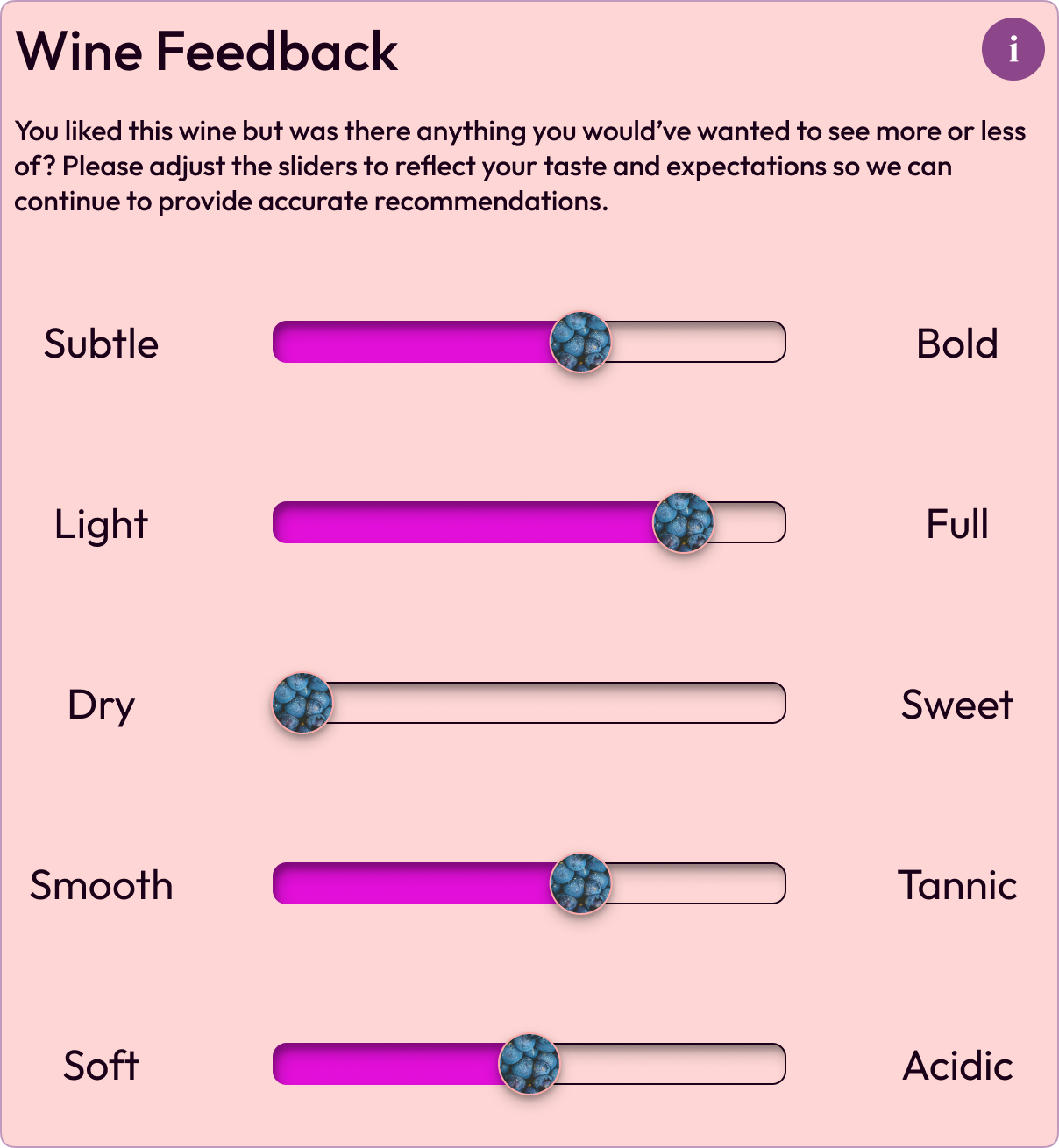
Periodic prompting to revisit a recently tasted wine and adjust its taste profile using interactive sliders
These sliders calibrate the recommendation engine to better reflect what you actually experienced versus what you expected.
All three inputs are cross-referenced against available wine data to improve accuracy over time.
The adjustable sliders are the feature I'm most proud of. They give users a tactile, personal way to refine their taste profile rather than relying solely on star ratings. This also makes it feel like the recommendation engine is genuinely learning from you.
Sliders Spotlight
Testing and Iteration
Nick's Wine was tested on casual wine drinkers to match the core user profile. Their feedback directly shaped two of the product's most distinctive features.
“Exclude from Taste Profile” button.
Testers had no way to remove a wine from their taste profile which meant wines they disliked could continue influencing future recommendations.
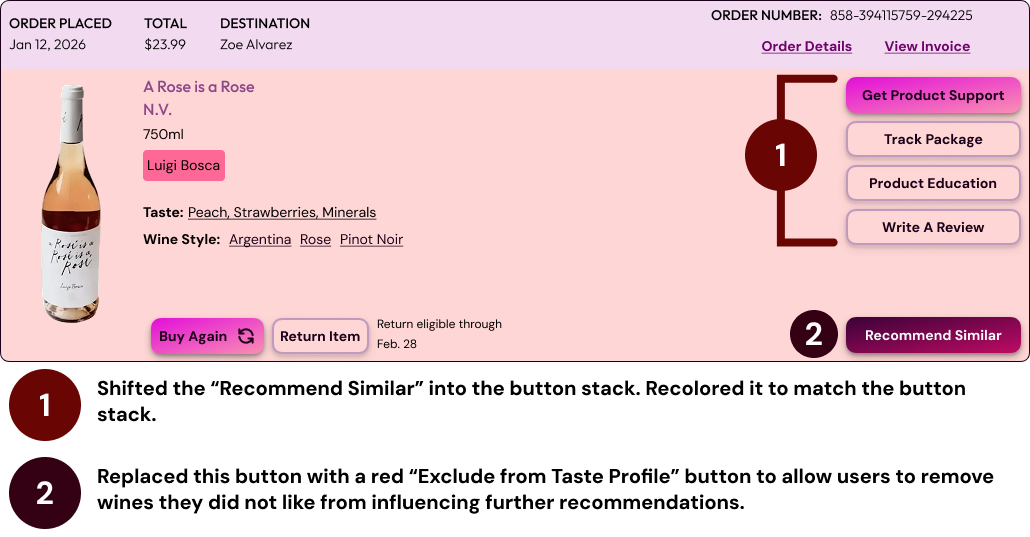
Before
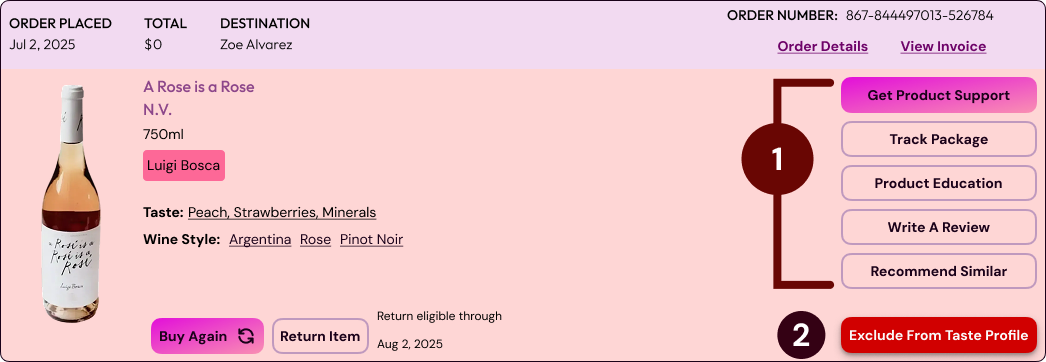
After
Interactive sliders.
Testers raised the question of “what if the taste profile displayed on a product page doesn't match what I actually experienced when drinking it?” Interactive wine profile sliders gave users a way to adjust their taste expectations against reality and feed that calibration back into the recommendation engine.
The slider interaction shown here is a prototype demonstration. In production, adjustments would feed directly into the recommendation engine to readjust suggestions based on the gap between expected and actual taste experience.
One more thing…
Additional iteration focused on the onboarding questionnaire, which was refined significantly based on feedback, and on product card design to find the right balance between text and iconography to communicate the right amount of information without overwhelming the layout/user.
Measuring Success
This project gave me the opportunity to define success criteria before any investments on engineering. The key metrics I would track are:
Educational Impact: Does contextual content on product pages reduce time-to-first-purchase and improve recommendation accuracy over time.
Recommendation Engine: How frequently users interact with suggested wines on the orders tab and whether that engagement converts to a sale.
Onboarding Effectiveness: Whether questionnaire responses generate home page recommendations that drive a first purchase.
Exclusion and Slider Usage: How actively users are refining their taste profile and whether that refinement correlates with higher recommendation satisfaction over time.
For analytics, Mixpanel fits naturally as its event-based model and conversion funnels align directly with the behaviors I'd want to measure.
What I Learned
Edge cases don't reveal themselves until real people use the product.
The "Exclude from Taste Profile" button didn't exist in my early designs, because I hadn't considered what happens when a recommendation misses. Testing surfaced it immediately. It's a small feature, but it taught me to design assuming every flow will eventually break in a way I didn't predict, and to leave room for that instead of patching it in after the fact.
Early information architecture decisions prevent rework later.
Settling on the nav bar and account dropdown as the site's central structure before diving into individual screens meant Education, Recommendations, and personal lists could stay reachable from anywhere without redesigning page by page later. Getting IA right early saved far more time than getting it right eventually.
Sometimes the mental model needs to bend, not the user.
Both the checkout flow and the onboarding questionnaire went through significant restructuring, one cramped screen split into two, a single questionnaire branched into novice and expert paths, once testing showed the original didn't match how people actually thought through the task. Protecting the experience sometimes means reworking a flow rather than defending an earlier decision.